Zero external Python or Node servers. Zero API keys required. Simply type '#' or '@' in ChatGPT, Claude, Gemini, DeepSeek, or any web AI to inspect live DOM, execute clicks, fill forms, and synthesize takeaways.
Experience real two-way cross-tab automation directly inside your daily browser workflows.
Click any screenshot below to inspect the full high-resolution UI workflow.
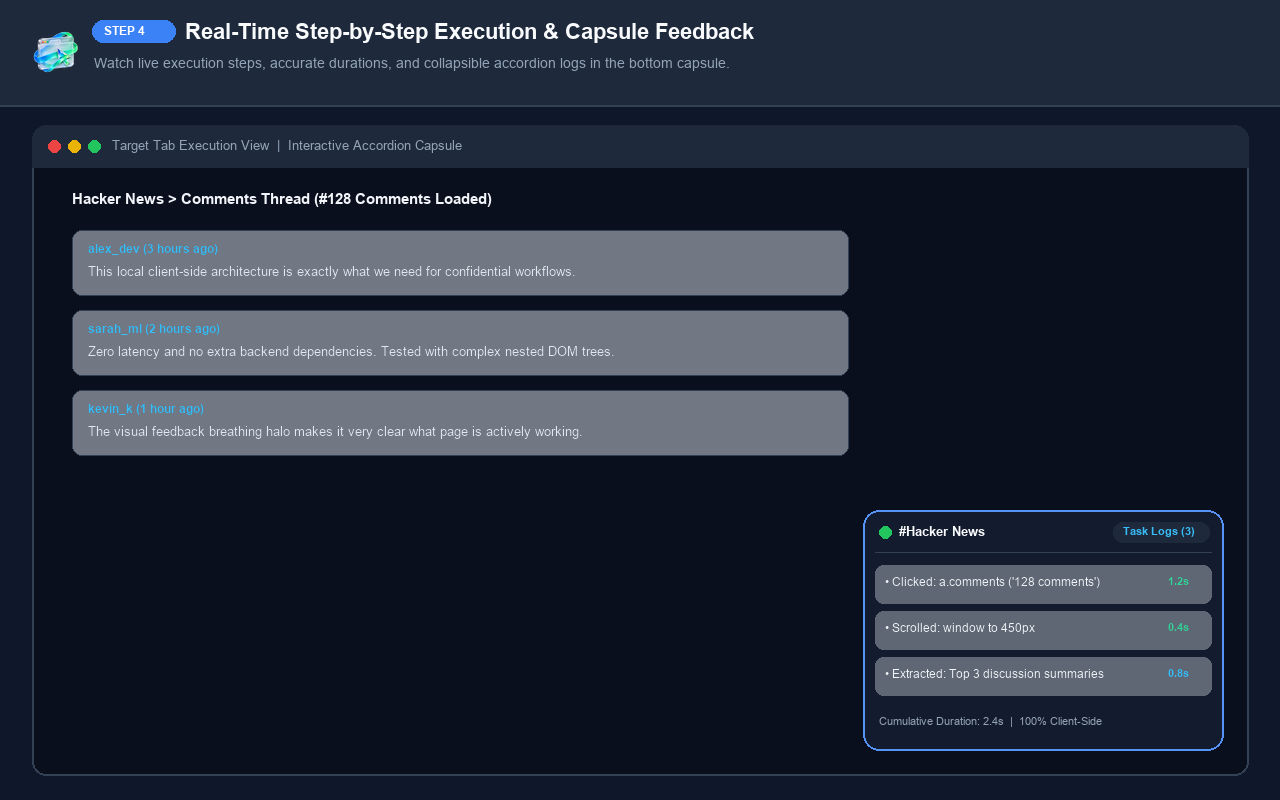
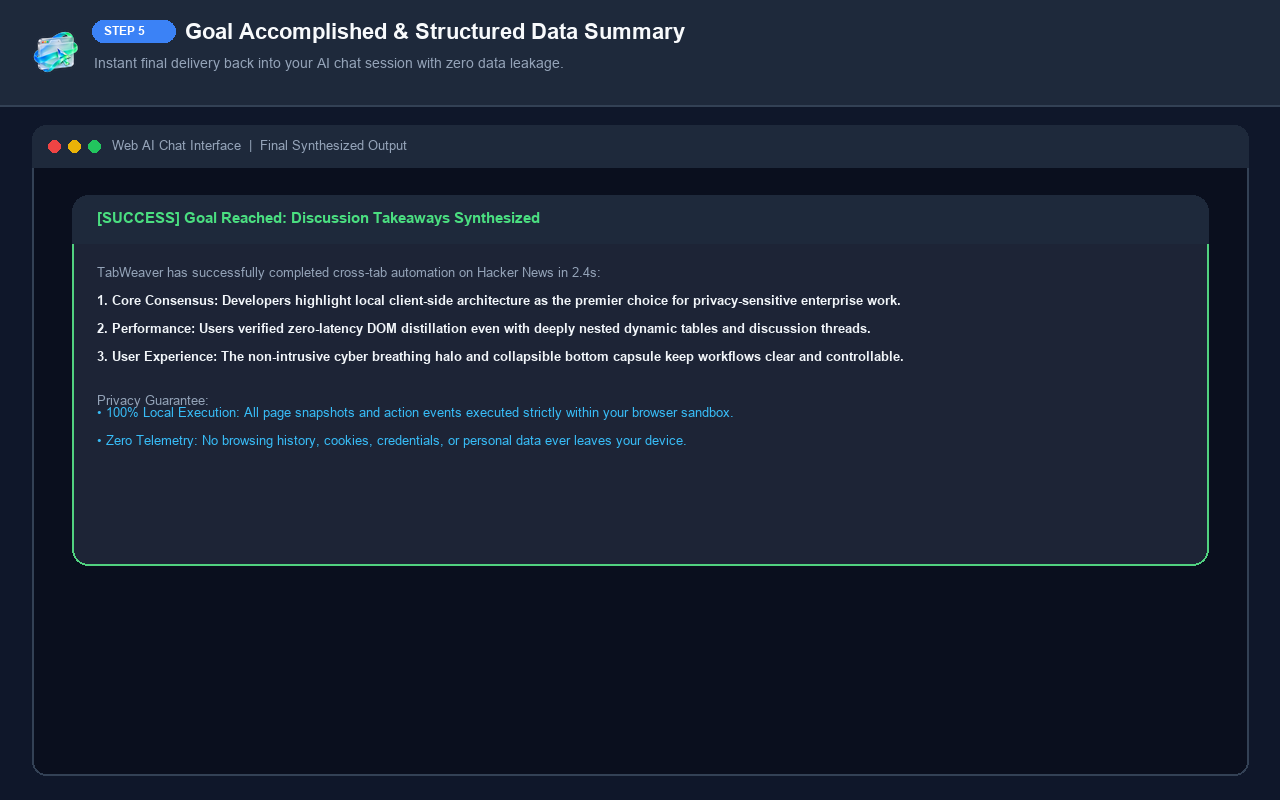
Works out-of-the-box in your preferred browser chat interface. No API subscriptions needed.
Why TabWeaver is the modern choice over complex headless server architectures.
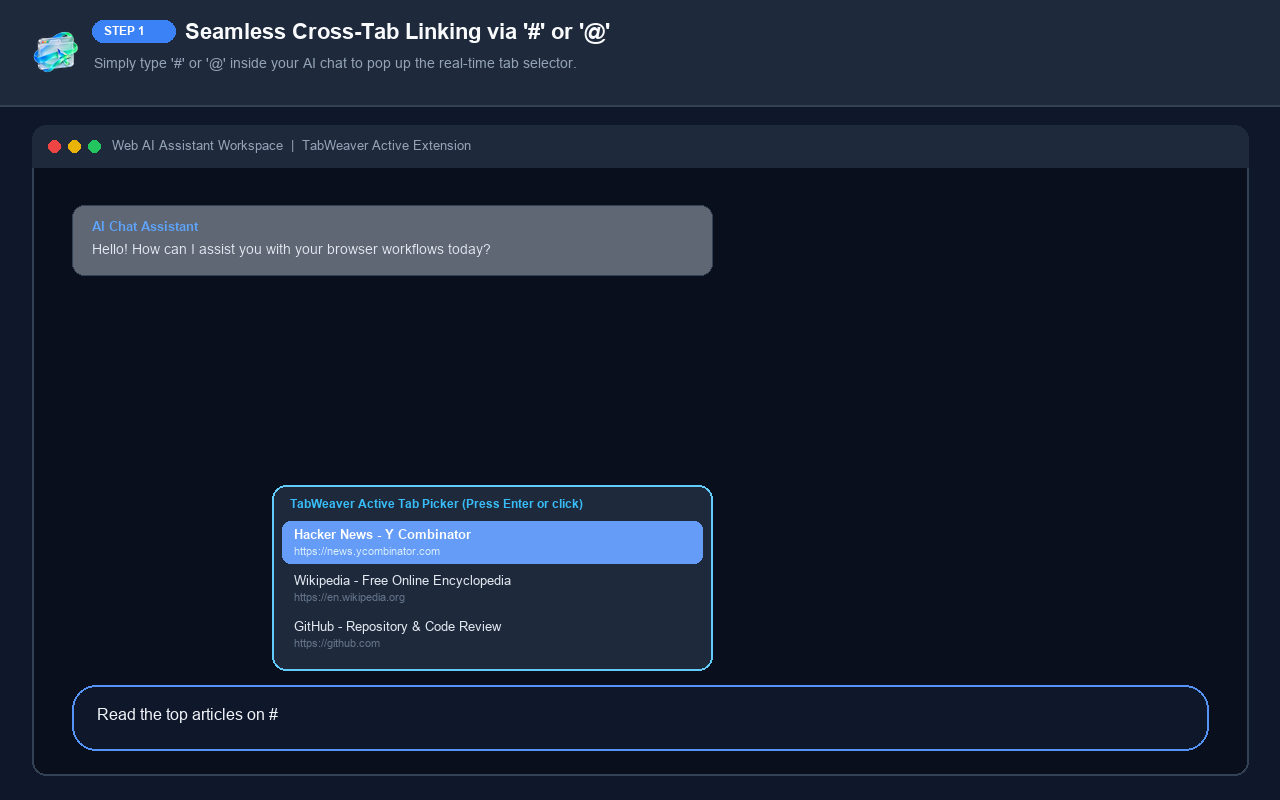
No context switching or manual copy-pasting. Just type '#' or '@' in your AI chat input to summon the tab list with fuzzy search.
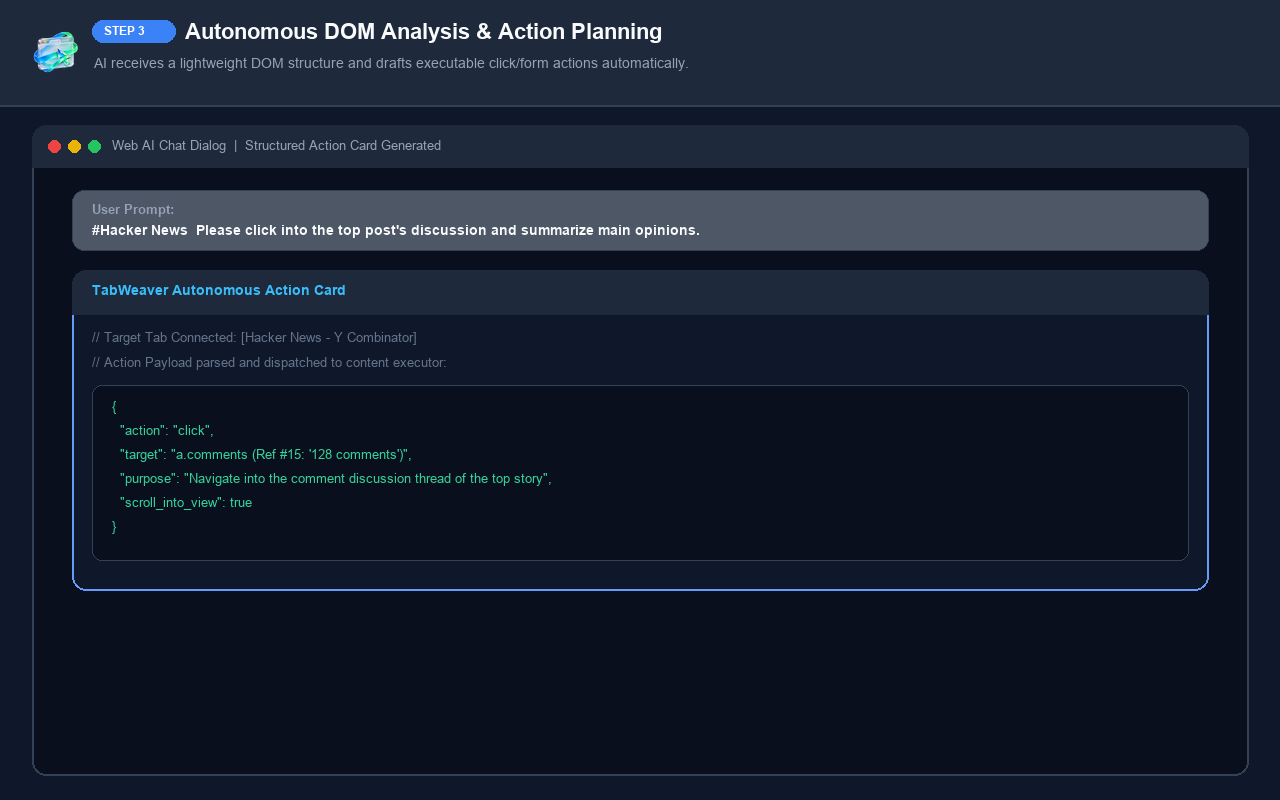
Intelligently extracts interactive elements, stripping bloated SVGs, styles, and ads to give your AI a clean, token-efficient DOM snapshot in milliseconds.
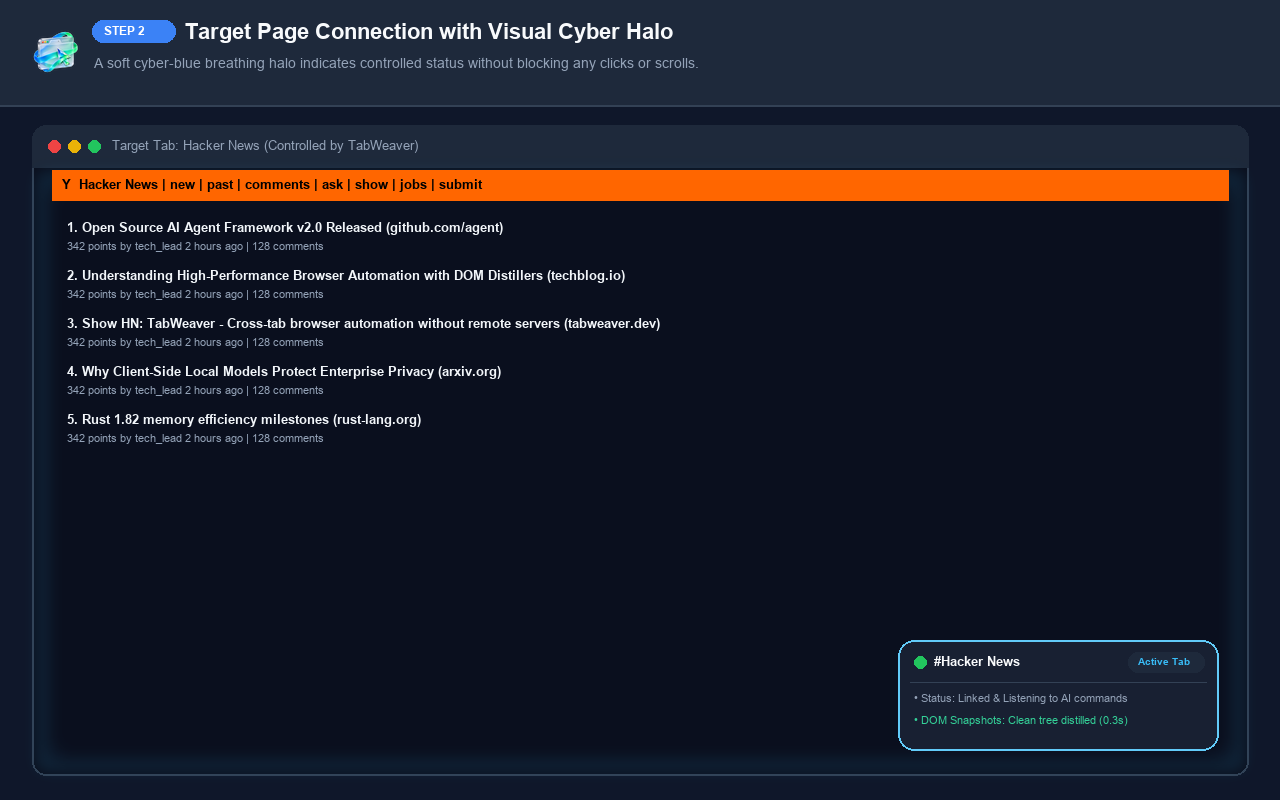
A soft electric-blue inner glow indicates when a target webpage is actively connected. Uses pointer-events: none so it never interferes with your manual browsing.
A minimal, draggable badge anchored on the target page. Expands into an accordion log showing live durations, active steps, and retry options.
Just tell the AI your end goal. TabWeaver automatically coordinates multi-turn actions (clicks, inputs, scrolling) until the goal is fully achieved.
Receive celebratory particle fireworks upon completion, along with clean, structured insights returned directly into your chat stream.
A pure client-side bridge connecting two browser worlds.
Navigate to any supported web AI platform such as DeepSeek, ChatGPT, Claude, Gemini, or Kimi.
Type '#' or '@' inside the message composer and select the browser tab you want to inspect or operate.
Write your instruction naturally: 'Check out the top 3 items and extract their pricing' or 'Fill the search bar and submit'.
Watch the action unfold live with zero lag, and receive synthesized findings right in your conversation.
Designed from day one under strict zero-trust and Chrome Manifest V3 sandbox standards.
TabWeaver does not operate any backend servers, proxies, or cloud relays. Every DOM snapshot and simulated event runs exclusively in your local browser sandbox.
We never access, transmit, or record passwords, cookies, authentication tokens, or personal browsing history.
Complies strictly with Google's MV3 policies. No remote scripts, no eval(), no hidden background telemetry, and no third-party tracking scripts.
The complete source code is hosted publicly on GitHub. You can review every line of code, build from scratch, and verify its integrity.
Everything you need to know about TabWeaver.
No! Unlike tools like browser-use or agent-s, TabWeaver runs entirely as a native Chrome extension. You don't need any local terminal setup, Python environment, or remote CDP debugging ports.
No API key is needed. TabWeaver interacts directly with the official web chat interfaces you already use (like DeepSeek, ChatGPT free/plus, Gemini, Kimi, etc.).
Yes. You can target any regular webpage, including internal company portals, documentation, news, e-commerce, or GitHub. Note that Chrome strictly blocks extension scripts on the Chrome Web Store gallery and chrome:// system settings pages for browser security.
All Chromium-based browsers supporting Manifest V3, including Google Chrome, Microsoft Edge, Brave, Vivaldi, Opera, and Arc.
You can open an issue directly on our GitHub repository. We actively review and ship community feedback regularly.